

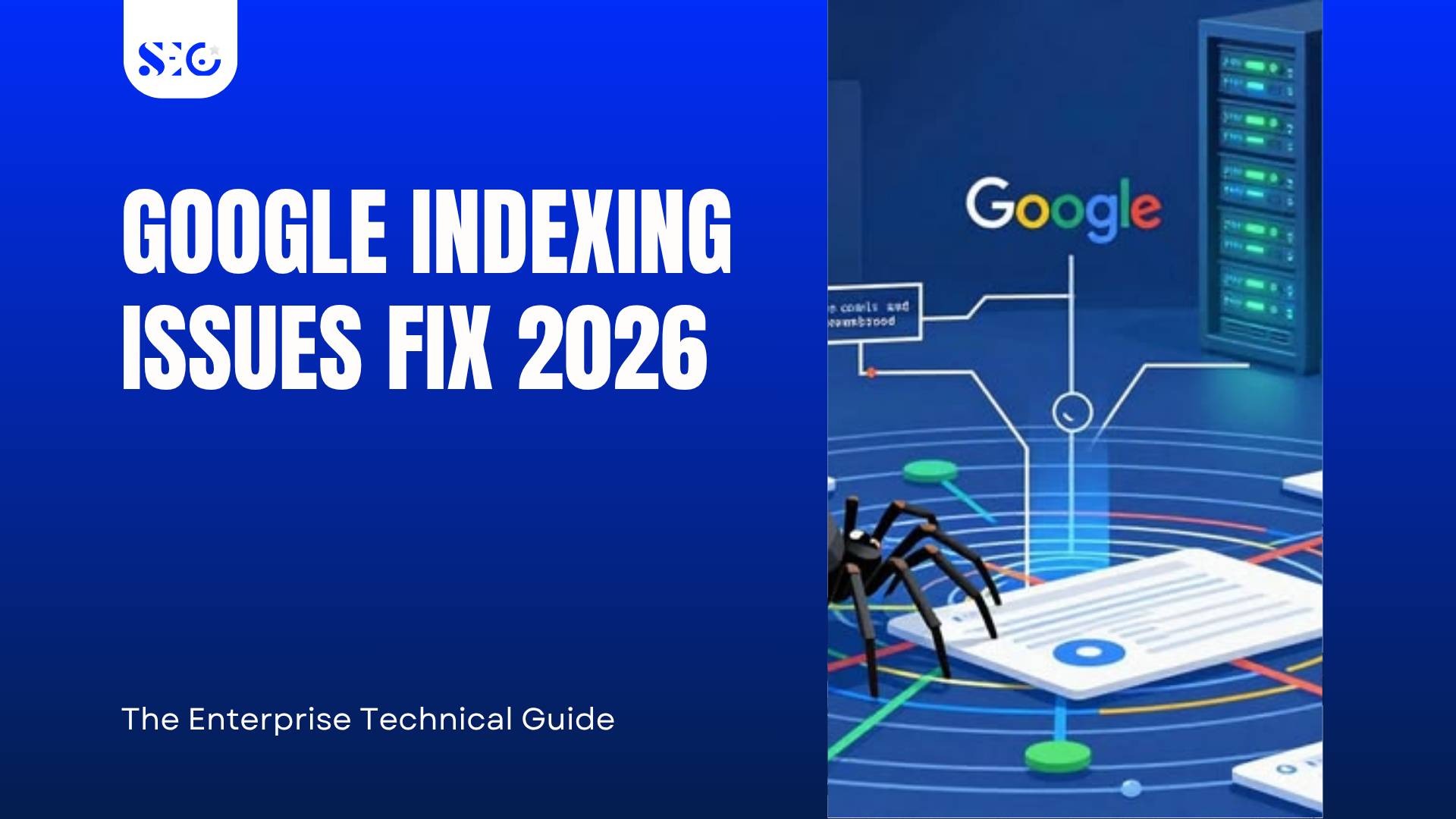
Google indexing issues fix 2026 usually happen when pages fail one of four checkpoints: discovery, crawl access, rendering, or quality evaluation. The fastest fix is to identify whether the URL is marked as Discovered – currently not indexed or Crawled – currently not indexed
in Google Search Console, then correct the root cause. Improve crawl budget, remove noindex or robots.txt blocks, clean up canonical and sitemap signals, reduce render problems, and strengthen thin content with unique value. Resolving Google indexing issues requires both technical SEO accuracy and stronger page quality.
Understanding the 2026 Google Indexing Pipeline
Before diagnosing problems, you need to understand the system you are working within.
Google processes URLs through a strict, sequential pipeline. A page must clear every stage before it earns a place in the index. The stages are:
- URL Discovery — Googlebot identifies the URL through sitemaps, internal links, or external references
- Parsing — The server delivers an HTTP response, and Google reads the raw HTML
- Rendering — Googlebot executes JavaScript to build the full DOM and expose dynamic content
- Quality Filtering — Google’s algorithms evaluate the page for originality, depth, and E-E-A-T signals
- Final Index Insertion — The page receives a position in Google’s index and becomes eligible to rank
Failure at any single stage stops the process entirely. A URL can stall at discovery because of crawl budget depletion. It can pass crawling and still fail at quality filtering. Understanding which stage broke down is the first step toward an accurate fix.
Breaking Down the 2026 Google Indexing Thresholds
Triage Your Errors: The Two Critical GSC Status Categories
Google Search Console surfaces two error states that enterprise teams routinely misdiagnose. They look similar on the surface. Their causes are completely different.
Discovered — Currently Not Indexed
This status means Google found the URL but chose not to crawl it. The problem lives upstream before Google has even examined the page content.
Common root causes include:
- Crawl budget depletion from low-value parameter URLs
- Internal link structures that bury important pages too deeply in the architecture
- Bloated sitemaps that include duplicate, redirected, or canonicalized-away URLs
The fix requires improving how Google allocates its crawl resources toward the pages that matter.
Crawled — Currently Not Indexed
This status means Google visited the page, processed its content, and decided it was not worth indexing. The problem lies in the content itself or the signals surrounding it.
Common root causes include:
- Thin content with no original data, analysis, or perspective
- Repetitive text blocks across similar pages
- Weak internal PageRank flow leaves the page isolated in the link graph
The fix requires elevating the content to pass Google’s quality threshold — not just technical cleanup.
The 2MB Document Frontier
One underdiagnosed indexing failure involves page size. Google truncates HTML processing at the 2MB boundary. Any content below that cut-off point product descriptions, internal links, schema markup, and body copy becomes invisible to Googlebot.
Enterprise sites accumulate this problem through:
- Oversized DOM trees with hundreds of unnecessary nested elements
- Inline JavaScript loaded directly into the HTML document
- Excessive third-party tracking scripts embedded in the page body
The remedy is straightforward: externalize scripts, reduce DOM depth, and audit page weight on any URL showing indexing anomalies.
Comprehensive Diagnostic Matrix: Indexing Failures and Core Fixes
Use this matrix to match your GSC error type to its structural cause and the appropriate 2026 technical remedy.
| GSC Error Classification | Root Structural Cause | 2026 Technical Remedy | Impact Metric |
| Discovered — Currently Not Indexed | Budget wasted on low-value URLs, parameter loops, or bloated sitemaps | Strip non-canonical URLs from sitemaps; optimize Time to First Byte (TTFB) | Boosts discovery rate |
| Crawled — Currently Not Indexed | Low original value, repetitive text blocks, or weak internal PageRank | Inject unique data insights; build targeted contextual internal link clusters | Increases quality score |
| Excluded by the noindex tag | Forgotten or programmatically deployed noindex during migrations or updates | Clear legacy code blocks; audit HTTP headers for rogue X-Robots-Tag directives | Restores index eligibility |
| Blocked by robots.txt | Broad or poorly mapped Disallow paths restricting bot access | Restructure rules to isolate backend files while opening critical page paths | Re-opens crawl pathways |
Each row in this matrix represents a different failure mode. Applying the wrong remedy to the wrong error type wastes time and produces no improvement. Triage accurately before you act.
Deep-Dive Diagnostics: Master the URL Inspection Tool in 2026
Running the Sandbox Test
The URL Inspection Tool remains the most direct diagnostic instrument in Google Search Console. In 2026, its updated interface now surfaces canonical override decisions and live index status more explicitly than previous versions.
For each suspect URL, run the following checks:
- Submit the URL and confirm whether Google considers it indexed or excluded
- Identify the Google-selected canonical — verify it matches your intended canonical, not an alternate version
- Check the last crawl date — extended gaps indicate crawl budget constraints affecting that URL
When Google overrides your canonical with a different URL, that is a strong signal of a competing duplicate that Google trusts more than the page you want indexed.
The Fetch and Render Framework
JavaScript-rendered pages require a specific diagnostic step beyond basic crawl verification.
Use the URL Inspection Tool’s live test to fetch and render the page. Examine the rendered screenshot carefully:
- Do key internal links appear in the rendered output?
- Is the primary body copy visible, or does it depend on user interaction to load?
- Do product details, headings, and structured data appear in the rendered DOM?
Frameworks like React and Next.js can produce pages that look complete to a human browser but deliver incomplete content to Googlebot if server-side rendering is misconfigured. A blank or partially rendered output in the fetch and render view confirms a JavaScript indexing problem.
Decoding Response Headers
Standard HTML source inspection misses a critical category of indexing blocks: directives delivered through HTTP response headers.
Use a tool capable of exposing raw server headers — curl commands, browser developer tools, or a dedicated header checker. Look specifically for:
- X-Robots-Tag: noindex — This header blocks indexation without any visible signal in the page HTML
- X-Robots-Tag: nofollow — This suppresses link equity flow
- Incorrect Cache-Control headers that may affect how Googlebot processes the response
These header-level blocks frequently survive site migrations and platform updates because they are invisible during standard content audits.
Resolving Code-Level Blocks and Noindex Tag Mistakes
Hunting Down Noindex Tag Mistakes
Noindex tag mistakes are among the most damaging technical SEO errors in enterprise environments. They are also among the easiest to introduce at scale.
A single template change — a CMS update, a staging flag left in production, a misconfigured plugin — can push noindex directives across thousands of URLs simultaneously.
Run a full site audit using a crawler that reads both HTML meta tags and HTTP response headers. Filter your results for:
- <meta name=”robots” content=”noindex”> appearing on production URLs
- X-Robots-Tag: noindex in server responses for critical pages
- Query parameters appending noindex rules to paginated or filtered URLs
Cross-reference your crawler output against your GSC Pages report to identify any correlation between noindex presence and unexplained drops in indexed page counts.
The Hreflang and Canonical Trap
Multilingual enterprise sites face a compounded risk when hreflang implementation and canonical directives conflict.
The failure scenario looks like this: Page A uses a canonical tag pointing to Page B. Page A also appears in the hreflang cluster with a self-referencing alternate tag. Google receives contradictory signals — the canonical says “this page is not the primary version,” while the hreflang says “this page is the correct regional version.” The result is abandonment. Google may index neither.
Audit your hreflang implementation with these checks:
- Every page in an hreflang cluster must include a self-referencing alternate tag
- Canonical tags must point to the correct regional URL, not a generic default
- Return tags must exist — if Page A references Page B, Page B must reference Page A back
A broken hreflang cluster does not just affect international SEO. It actively suppresses indexation across the entire group.
Sitemap Hygiene: Cleaning Your Indexation Map
A sitemap should function as a curated list of your highest-priority URLs. In practice, many enterprise sitemaps have become repositories of indexing noise.
Remove the following from every sitemap immediately:
- URLs that redirect to other pages
- URLs with canonical tags pointing elsewhere
- Paginated URLs beyond the first page (unless they carry a unique content value)
- URLs returning non-200 status codes
- Filtered or faceted navigation URLs generated by parameter combinations
After cleanup, verify that every remaining URL is self-referencing its canonical and returns a clean 200 response. A leaner, more accurate sitemap directs Google’s crawl budget toward pages that deserve indexation.
Algorithmic Content Optimization: Meeting the Quality Hurdle
Combating the AI Noise Filter
Google’s 2026 quality filtering systems are considerably more capable of distinguishing original content from algorithmically generated noise. Pages that lack genuine informational value — regardless of technical cleanliness — face routine exclusion.
Transforming a “Crawled — Currently Not Indexed” page requires more than rewriting sentences. It requires injecting substance that cannot be found anywhere else.
Strategies that work:
- Embed proprietary data, internal research findings, or original survey results
- Add expert commentary or first-person practitioner perspectives
- Include media assets — charts, diagrams, video — that enhance comprehension
- Create content depth that reflects actual subject-matter authority
A technically perfect page with nothing original to say will not pass this threshold. Content value and technical SEO are not separate disciplines in 2026. They are the same problem.
Consolidating Content Equity
Many enterprise sites carry large volumes of thin, topically fragmented pages that compete against each other without ranking for anything meaningful.
The solution is consolidation. Use 301 redirects to merge related thin pages into a single, comprehensive resource. This approach:
- Concentrates internal PageRank onto fewer, stronger pages
- Eliminates indexation overhead from content that adds no value
- Creates topical authority by presenting complete coverage in one place
Identify consolidation candidates by filtering your GSC Pages report for URLs with low or zero organic impressions over a 12-month window, then group them by topic cluster.
Fixing Redirection Overhead
Long redirect chains impose a measurable crawl cost. When Googlebot follows a URL through three, four, or five hops before reaching the final destination, it expends crawl budget on administrative overhead rather than content discovery.
Audit your redirect infrastructure and enforce a strict single-hop rule:
- Every redirect chain longer than one hop requires flattening
- The origin URL should redirect directly to the final destination URL
- Temporary 302 redirects on permanently moved content must be converted to 301
Use your crawler output to generate a redirect chain report. Prioritize chains affecting high-traffic or high-priority URLs first.
The 2026 Indexation Maintenance SOP
Fixing existing indexing errors is only half the task. The other half is preventing new errors from accumulating. Enterprise teams need a repeatable operational process — not a one-time audit.
The Content Deployment Protocol
Every page that enters production should clear a pre-publishing checklist before it goes live. Build this checklist into your deployment workflow:
- Internal link hook — Confirm at least two contextually relevant internal links point to the new page before launch
- Sitemap automation — Verify the URL has been added to the correct XML sitemap segment and that the sitemap pings Google on update
- Canonical validation — Confirm the self-referencing canonical tag is present and correct in both HTML and HTTP headers
- Schema markup validation — Run structured data through Google’s Rich Results Test before deployment
- Noindex sweep — Confirm no noindex directive exists in the page template, CMS settings, or response headers
A 15-minute pre-launch check prevents weeks of indexation recovery work.
The Indexation Ledger Workflow
Set up a monthly indexation monitoring routine using Google Search Console and a tracking spreadsheet. This workflow catches indexing errors before they translate into traffic losses.
Monthly tasks:
- Export the full Pages report from GSC and compare the total indexed URL count against the previous month
- Flag any URLs that shifted from “Indexed” to “Not indexed” status
- Review the “Discovered — Currently Not Indexed” and “Crawled — Currently Not Indexed” queues for volume trends
- Cross-reference any coverage drops against recent deployments, CMS updates, or infrastructure changes
- Re-submit resolved URLs through the URL Inspection Tool and log the re-submission date
The indexation ledger creates accountability and an auditable record of your technical health over time. It also surfaces patterns — seasonal crawl budget drops, recurring noindex deployments, sitemap drift — that point toward systemic issues rather than isolated errors.
Your Immediate Next Steps
Apply this guide systematically using the following sequence:
- Export your GSC Pages report and sort all non-indexed URLs into a prioritization spreadsheet
- Categorize by error type — separate “Discovered — Currently Not Indexed” from “Crawled — Currently Not Indexed” and treat each queue with its corresponding remediation track
- Run a full site crawl with a tool that reads HTTP headers, canonical tags, and redirect chains simultaneously.
- Audit your sitemap against the hygiene criteria outlined in this guide and remove every URL that does not belong.
- Implement the pre-publishing checklist within your content deployment workflow, starting with your next scheduled publish
- Schedule your first indexation ledger review for 30 days from today and track progress monthly from that point forward.d
Technical SEO in 2026 rewards organizations that build systems, not those that respond to emergencies. This guide gives you the diagnostic framework and the operational structure to stay ahead of the problem.
Conclusion: Building a Resilient Technical Foundation
Google indexing issues do not fix themselves. Left unmanaged, they compound. A handful of unindexed pages becomes a crawl budget problem. A crawl budget problem becomes invisible content. Invisible content becomes lost revenue.
The enterprise teams that maintain index stability in 2026 share a common characteristic: they treat indexation as an ongoing operational discipline, not a periodic cleanup task. They combine technical precision clean robots.txt files, accurate canonical tags, validated hreflang clusters, lean sitemaps with genuine content quality that earns Google’s algorithmic confidence.
Both sides of that equation matter. Technical SEO without content value hits a ceiling. Content investment without technical hygiene produces pages that never reach an audience.
Start with the audit at seo pakistan. Build the process. Maintain the standard.
Frequently Asked Questions
What causes Google indexing issues in 2026?
Google indexing issues in 2026 usually come from four areas: weak URL discovery, crawl budget waste, rendering problems, or low page quality. A page may be found but not crawled, or crawled but still excluded from the index. Common triggers include blocked resources, noindex tags, poor internal linking, duplicate content, oversized pages, and thin content that does not meet quality thresholds.
How do I fix pages not indexed in Google Search Console?
Start by checking the page status in Google Search Console. If the URL shows Discovered – currently not indexed, review crawl budget, sitemap quality, and internal links. If it shows Crawled – currently not indexed, improve content quality, originality, and topical depth. Also, inspect canonical tags, noindex directives, robots.txt rules, and rendering behavior to remove technical barriers to indexation.
What is the difference between crawled and discovered,d not indexed?
Discovered – currently not indexed means Google knows the URL exists but has not crawled it yet, often due to crawl budget limits or weak site architecture. Crawled – currently not indexed means Google visited the page but decided not to index it. That usually points to low-value content, duplication, or poor quality signals rather than a pure technical SEO issue.
Can JavaScript cause Google indexing problems?
Yes, JavaScript can create Google indexing problems when important content or links only appear after client-side rendering. If Googlebot cannot properly render the page, it may miss core copy, navigation elements, or structured data. Use the URL Inspection Tool to test rendered output and confirm that headings, internal links, and key page content are visible without relying on delayed script execution.
Why are sitemap and canonical tags important for indexation?
Sitemap optimization and canonical tags help Google understand which URLs deserve crawling and indexing. A clean XML sitemap should include only indexable, canonical, status-200 pages. Canonical tags should point to the preferred version of each page and remain consistent with internal links and hreflang signals. When these signals conflict, Google may ignore the page, select another canonical, or delay indexation.