

Log file analysis SEO 2026 is the process of using raw server logs to see exactly how search engine bots crawl a website. It helps identify crawl budget waste, orphaned pages, redirect chains, server errors, and oversized HTML files that limit indexing.
Unlike Google Search Console, log file analysis shows real bot activity, exact requested URLs, status codes, user agents, and crawl frequency. This makes it essential for technical SEO teams that want to improve crawl efficiency, protect server resources, verify bots, and strengthen search engine visibility with accurate server-level data.
Ground Truth: Why Log Files Overrule Standard SEO Tools in 2026
Log files provide the raw access logs of your web server. They record every request made to your site, including visits from Googlebot, Bingbot, AI retrieval agents, fake bots, real users, and internal systems. That makes log file analysis important because it removes guesswork.
Google Search Console, analytics platforms, and crawl tools all help. However, they do not show the full server-side truth. Server logs reveal the exact URLs crawled, the exact timestamp, the HTTP status code, the user agent string, and the bytes transferred. That level of detail gives technical SEO teams a stronger view of search engine behavior.
The Google Search Console Data Gap
Google Search Console is useful, but it has limits. Search Console can show crawl stats, indexed pages, impressions, and errors. Still, it often works with delayed, grouped, or sampled data. It does not always show every bot request. It also does not expose every requested URL in the way raw server logs do.
For example, Google Search Console may show that Googlebot crawled your site heavily last week. But access log files can show:
- Which URLs did Googlebot request
- Which URLs returned 200, 301, 404, or 500 status codes
- Which pages received repeated crawl activity
- Which low-value pages consumed crawl budget
- Which orphaned pages received crawler visits
- Which internal search results were crawled by mistake
- Which redirect chains slowed down discovery
Here is the key difference:
Google Search Console reports what Google chooses to show you. Server log analysis shows what your web server actually served. That difference matters when your SEO strategy depends on crawl control, technical health, and efficient indexing.
The 2MB Document Cutoff Rule
Log file data can also help you audit page size at the server level.
The “Bytes Transferred” field shows the payload served to the crawler. For SEO log file analysis, this field becomes critical when important HTML documents grow too large.
As a practical safety standard, technical teams should keep raw HTML payloads well below 2MB when possible. If a decompressed HTML document crosses 2,097,152 bytes, you increase the risk that search engines may not process everything cleanly.
This matters because key SEO elements often appear lower in the HTML source, including:
- Canonical tags
- Structured data
- Internal links
- Product details
- Pagination links
- Alternate language tags
- Important body content
If bloated HTML pushes those signals too far down, search engines may miss or delay processing them.
The takeaway: use log data to monitor bytes transferred for priority templates. Large websites should flag any important pages that approach or exceed the 2MB risk threshold.
The 2026 Bot Explosion Pipeline
Search engine bots no longer fit into one simple group.
In 2026 and 2027, your log files may include traditional search engine crawlers, AI model-training scrapers, live retrieval bots, monitoring services, uptime tools, malicious scanners, and spoofed user agents.
A modern server log analysis process must separate these groups.
You need to know whether a request came from:
- A core search indexer, such as Googlebot
- A live AI retrieval agent answering user prompts
- An AI training bot is collecting bulk content
- A fake bot pretending to be a search crawler
- A real user using a browser
- A security scanner or automated tool
This matters because each category deserves a different infrastructure and robots.txt response.
Allowing Googlebot helps organic visibility. Allowing trusted live AI retrieval bots may help citation traffic. Blocking bulk AI model-training scrapers can protect bandwidth. Firewallding fake bots can reduce server load and content theft.
The takeaway: log file analysis matters because it gives you the only reliable way to separate valuable crawlers from wasteful or harmful traffic.
The Core Anatomy of an SEO Server Log Line
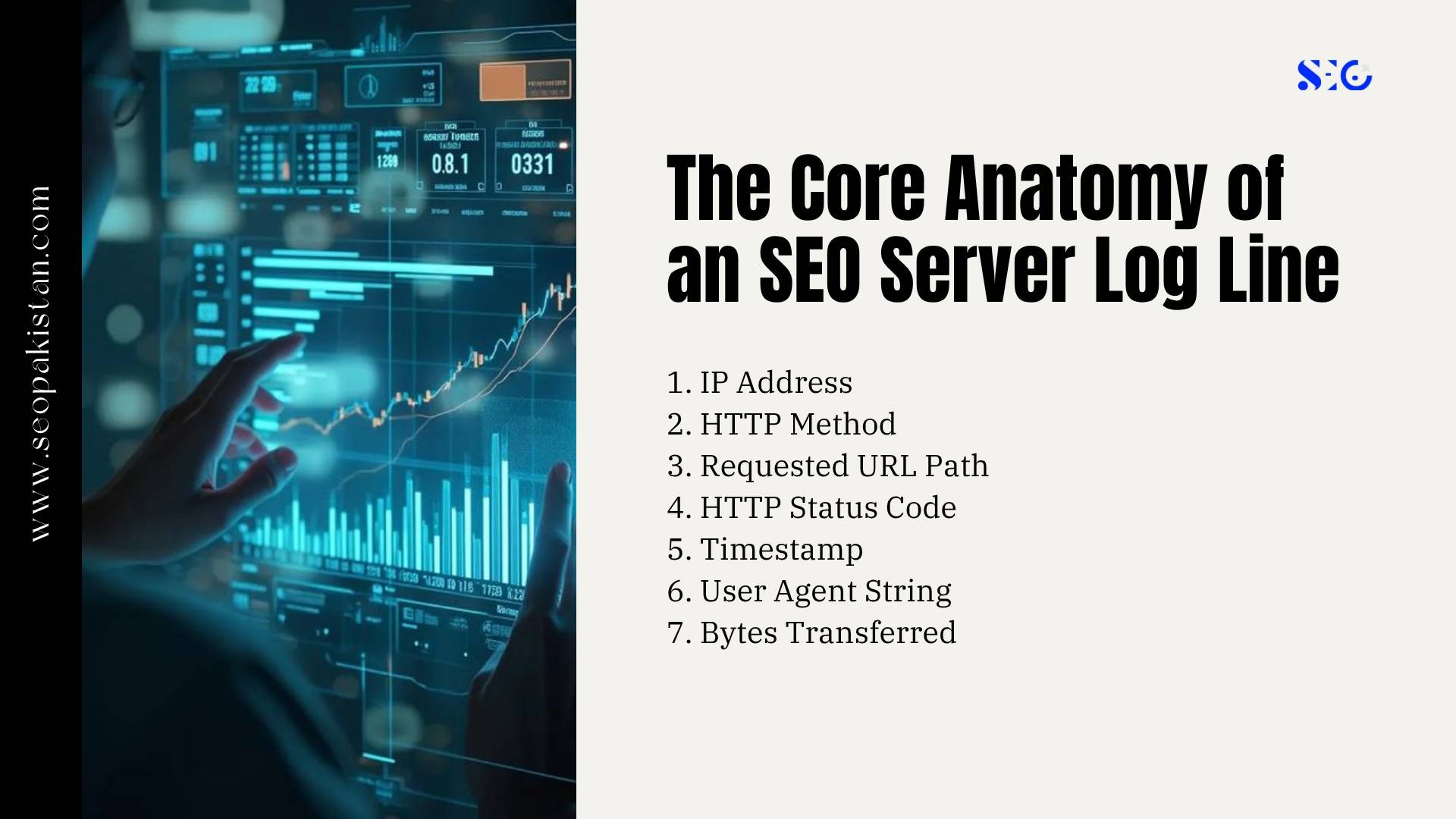
A server log line looks technical at first. Once you break it into fields, it becomes a clear record of how search engines interact with your website. A common log file format may include:
66.249.66.1 – – [12/Jan/2026:10:15:22 +0000] “GET /category/product-page/ HTTP/1.1” 200 84213 “-” “Googlebot/2.1 (+http://www.google.com/bot.html)”
This single line can answer several technical SEO questions.
1. IP Address
The IP address identifies where the request came from.
In the example above, 66.249.66.1 is the incoming IP. You should never assume it belongs to Google just because the user agent says Googlebot. Fake bots often use spoofed Googlebot strings.
Use legitimate IP verification through reverse DNS lookup before trusting crawler identity.
2. HTTP Method
The HTTP method shows the request type. Most crawler requests use:
- GET to fetch a URL
- HEAD to check a resource without downloading the full body
- POST less commonly for forms or dynamic systems
For SEO, GET requests matter most because they show crawled URLs and discover URLs that search engines access.
3. Requested URL Path
The requested URL shows the exact path the bot accessed. This field can uncover pages that your standard crawler may miss, including:
- Orphaned pages
- Old URLs
- Parameter duplicates
- Internal search results
- Staging paths
- Legacy assets
- Broken pagination
- URLs with tracking parameters
For example, your site structure may not link to /old-product?id=421, but logs may show that Googlebot still requests it every day.
That means search engines have discovered the page through external links, old sitemaps, redirects, or historical crawl data.
4. HTTP Status Code
The HTTP status code tells you how the server responded. Common SEO status codes include:
- 200: The page loaded successfully
- 301: The URL permanently redirected
- 302: The URL temporarily redirected
- 304: The resource did not change
- 404: The page does not exist
- 410: The page is gone
- 500: Internal server error
- 503: Service unavailable
Status codes help identify crawl errors, redirect chains, server errors, and wasted crawl budget. A few 404s are normal. Thousands of repeated 404 requests from search bots can signal crawl waste. Frequent 5xx errors can cause search engines to reduce crawl frequency to protect your web server.
5. Timestamp
The timestamp shows when the request happened. Use UTC consistency across all access logs, CDN logs, and application logs. Mixed time zones make analysis harder and can lead to false conclusions. Timestamps help measure:
- Crawl frequency
- Crawl spikes
- Crawl depth
- Bot behavior after publishing
- Delays between sitemap submission and bot visits
- Server error timing
- Crawl patterns by day or hour
For example, if Googlebot crawls new articles within 10 minutes but product pages after 36 hours, you have a discovery gap.
6. User Agent String
The user agent string describes the crawler, browser, or bot making the request.
Examples include:
- Googlebot
- Googlebot Smartphone
- Bingbot
- OAI-SearchBot
- PerplexityBot
- GPTBot
- ClaudeBot
- CCBot
The user agent gives useful clues, but it is not proof. Any scraper can write “Googlebot” into its user agent string.
That is why reverse DNS lookup is essential for trusted bot verification.
7. Bytes Transferred
Bytes transferred shows the size of the response served.
This field helps you identify:
- Heavy HTML documents
- Bloated templates
- Oversized JavaScript resources
- Large CSS files
- Image-heavy responses
- Pages near the 2MB HTML risk threshold
For technical SEO, bytes transferred connects crawl efficiency with performance. Search engines can crawl more useful pages when your server returns leaner files faster.
The takeaway: Every SEO server log line contains crawl data that can improve decisions. Read the IP, requested URL, status code, timestamp, user agent, and bytes transferred together.
Verification Engineering: Programmatic Reverse DNS Lookups

Fake bots are one of the biggest risks in modern log analysis. Many malicious scraping networks cloak themselves as search engine bots. They use a Googlebot or Bingbot user agent string to bypass basic security filters. If you trust user agent strings alone, you may allow fake crawlers to consume bandwidth, scrape assets, and stress your server. Reverse DNS lookup solves this problem.
Why Spoofed Search Bots Are Dangerous
Spoofed bots can create several problems:
- They inflate log data
- They distort crawl frequency analysis
- They increase hosting costs
- They steal proprietary content
- They trigger performance issues
- They hide inside “trusted” bot labels
- They make crawl budget analysis less accurate
For enterprise sites, fake bots can generate millions of requests per month. If your log file analyser treats those requests as Googlebot, your entire SEO report becomes unreliable.
How Reverse DNS Lookup Works
A reverse DNS lookup checks whether an IP address resolves to a trusted crawler domain. For Googlebot, verified hostnames should resolve to domains such as:
*.googlebot.com
*.google.com
A proper verification process uses two steps:
- Run a reverse DNS lookup on the crawler IP.
- Run a forward DNS lookup on the returned hostname to confirm it maps back to the same IP.
This prevents attackers from using misleading DNS records.
Example terminal checks may include:
host 66.249.66.1
dig -x 66.249.66.1
If the result does not match a trusted crawler pattern, treat it as suspicious.
How to Operationalize Bot Verification
Manual checks work for small samples. Large websites need automation. Build a scheduled verification workflow that:
- Extracts bot-labeled traffic from raw access logs
- Groups requests by IP address and user agent
- Performs reverse DNS lookup checks
- Confirms forward DNS resolution
- Tags verified search bots
- Tags failed checks as spoofed or unknown
- Sends suspicious IPs to a firewall or CDN rule
You can apply this process at the server firewall, WAF, or CDN edge layer.
For example:
- Verified Googlebot: allow
- Verified Bingbot: allow
- Fake Googlebot: firewall block
- Unknown high-volume scraper: rate limit or challenge
- AI training scraper: manage through robots.txt or CDN rules
The takeaway: user agent data helps with classification, but reverse DNS lookup provides trust. Never build an advanced log file analysis process without bot verification.
Advanced Log Auditing: Finding and Fixing Crawl Budget Waste
Crawl budget is the amount of attention search engines give your website during crawling. It depends on site authority, server performance, content value, internal links, crawl demand, and technical health. Crawl budget matters most for large websites, enterprise sites, ecommerce platforms, publishers, marketplaces, and sites with frequent updates. Log analysis reveals where that budget goes.
Detecting Parameter URL Duplicates
Parameter URLs often create crawl waste.
Common examples include:
- ?sort=price-low
- ?sort=newest
- ?filter=color-red
- ?utm_source=newsletter
- ?sessionid=123
- ?ref=affiliate
One product category can generate thousands of duplicate variations. Search engines may crawl these URLs even when they provide little unique value.
What does this look like in practice?
A category page may exist as:
/category/shoes/
/category/shoes/?sort=price
/category/shoes/?sort=rating
/category/shoes/?utm_campaign=spring
/category/shoes/?filter=size-10
If all versions show similar content, they drain your site’s crawl budget.
Use log file data to identify frequently crawled URLs with parameters. Then decide whether to:
- Add canonical tags
- Improve faceted navigation rules
- Block low-value parameters in robots.txt
- Add noindex where appropriate
- Configure URL handling rules
- Remove unnecessary internal links to parameter URLs
The takeaway: parameter cleanup improves crawl efficiency by guiding search engines toward important pages.
Exposing the Trap of Orphaned Pages
Orphaned pages are URLs that exist but have no internal links pointing to them.
They may still appear in log files because search engines discovered them through:
- Old XML sitemaps
- External links
- Redirect history
- Previous site structures
- Backlinks
- Navigation bugs
- Legacy CMS paths
Orphaned pages create a strategic problem. Some may be valuable, but your site architecture does not support them.
A strong log file analysis for SEO process crosschecks:
- Crawled URLs from server logs
- XML sitemap URLs
- Internal crawl data
- Analytics landing pages
- Indexed pages
- External links
This reveals three important groups:
- Important orphaned pages: Add more internal links and include them in sitemaps.
- Low-value orphaned pages: Noindex, redirect, consolidate, or remove them.
- Unknown orphaned pages: Investigate before taking action.
If Googlebot frequently visits a page with no internal links, your site structure sends mixed signals. The crawler finds the page, but your architecture says it is not important.
The takeaway: orphaned pages can hide opportunity and waste. Logs show which ones search engines already care about.
Eliminating Redirect Chains and Loops
Redirect chains slow down crawl paths.
A clean redirect sends users and bots from URL A to URL B in one hop. A chain forces the crawler through several steps:
/page-a → /page-b → /page-c → /final-page
Each hop consumes time and crawl resources. It can also dilute signals and make crawling less efficient.
Redirect loops are worse:
/page-a → /page-b → /page-a
Loops trap bots and block discovery.
Use server log analysis to find:
- Repeated 301 sequences
- 302 redirects that should be 301s
- Redirects to broken pages
- Redirects that return 5xx errors
- Legacy URLs that still receive crawler traffic
- Redirect loops created during migrations
Fix chains by updating old redirects to point directly to the final destination.
The takeaway: every redirect should have a purpose. Keep it direct, fast, and final.
Understanding the Server 5xx Back-Off Signal
Server errors tell search engines to slow down.
When search engine bots hit repeated 5xx responses, they may reduce crawl frequency. This protects your server from overload, but it can delay indexing and updates.
Common 5xx issues include:
- 500 internal server error
- 502 bad gateway
- 503 service unavailable
- 504 gateway timeout
These errors often appear during:
- Deployment windows
- Database overload
- CDN misconfiguration
- Plugin failures
- Cache purges
- Traffic spikes
- API timeouts
Many teams miss these errors because real users may not report them. Logs catch them at the moment they happen.
Review 5xx errors by:
- URL
- Timestamp
- Bot type
- Template
- Server node
- Deployment event
- Crawl frequency before and after the issue
The takeaway: server errors reduce trust and crawl velocity. Fix recurring 5xx patterns before they hurt search engine visibility.
Strategic Selection: 2026 Log Analysis Tool Frameworks
The right log analysis stack depends on your site scale, data volume, team skill, and reporting needs.
A small website does not need enterprise infrastructure. A marketplace with hundreds of millions of log lines cannot rely on spreadsheets.
For Mid-Sized Sites and Agency Audits
Tools such as Screaming Frog Log File Analyser and JetOctopus work well for routine technical SEO audits.
They can help teams review:
- Crawled URLs
- Search engine bots
- Status codes
- Crawl frequency
- Frequently crawled pages
- Crawl waste
- Orphaned pages
- Redirect chains
- Bot behavior by user agent
The frog log file analyser is especially useful for connecting crawl data with internal crawl results. This helps compare how search engines crawl your site against how your site structure should work.
Best fit:
- Agency audits
- Mid-sized ecommerce sites
- Publishers with moderate URL counts
- Monthly technical SEO reviews
- Teams that need clear reports fast
For Enterprise Sites
Botify and Oncrawl fit larger websites with heavy crawl data.
They can process large volumes of raw server data and connect log data with crawl depth, internal links, indexability, and site architecture.
Best fit:
- Enterprise sites
- Large ecommerce platforms
- Marketplaces
- News publishers
- International websites
- Sites with millions of URLs
- Teams managing crawl budget at scale
These platforms help identify crawl budget waste across templates, directories, language versions, and pagination systems.
For Real-Time Infrastructure Monitoring
Elastic Stack, also called ELK, and Splunk work well for engineering-led teams.
These systems support real-time log analysis and infrastructure monitoring. They can help development teams track server errors, search bot activity, firewall events, and live crawl anomalies in one place.
Best fit:
- DevOps teams
- High-traffic platforms
- Security-sensitive sites
- Real-time alerting
- CDN and server monitoring
- Advanced technical SEO workflows
For example, an ELK dashboard can alert your team when verified Googlebot receives a spike in 503 errors after a deployment.
The takeaway: choose your log file analysis tool based on data scale and decision speed. The best system turns raw access logs into action.
The 2026–2027 Advanced Bot Behavior Log File Matrix
Modern SEO teams must classify bots by purpose, not just name.
Some bots support search engine visibility. Others collect training data without sending referral traffic. Some pretend to be trusted crawlers and should be blocked.
Use this matrix as a practical starting point.
| Bot Identification Category | Common User Agent Examples | Main Function | Recommended Action |
| Search Engine Indexers | Googlebot, Googlebot Smartphone, Bingbot | Crawl primary content for traditional search indexes and AI-enhanced search results. | Allow. Keep HTML payloads lean and ensure key pages return clean 200 status codes. |
| Live AI Retrieval Agents | OAI-SearchBot, PerplexityBot | Fetch real-time information for conversational answers and citations | Allow if aligned with your SEO strategy. Prioritize fast server response and clear content structure. |
| AI Model-Training Scrapers | GPTBot, ClaudeBot, CCBot | Collect large-scale text data to train models | Block or limit if they provide no business value. Use robots.txt, CDN rules, or server controls. |
| Masquerading or Fake Bots | Spoofed Googlebot strings | Scrape content or bypass basic security rules | Verify with reverse DNS lookup. Firewall block failed checks. |
This framework helps teams decide what to allow, block, or monitor.
You might be thinking that blocking AI scrapers could hurt Google rankings. It should not, as long as you do not block core search engine crawlers such as Googlebot.
The key is precision. Do not block by broad patterns without checking the bot category and business impact.
The takeaway: not all bots deserve the same access. Use log file analysis to align crawler permissions with SEO value, server cost, and content protection.
JavaScript Rendering and DOM Discovery Auditing
JavaScript-heavy websites need deeper log analysis.
Frameworks such as React, Vue, Angular, and Next.js can create gaps between raw HTML and rendered content. Search engines may first crawl the raw HTML, then later render the page to process JavaScript-generated content.
This creates a multi-wave indexing process.
The Multi-Wave Indexing Discrepancy
If your raw HTML does not include key content, search engines may delay full understanding of the page.
For example, a product page may load:
- Title through JavaScript
- Reviews through an API
- Internal links after hydration
- Product schema after rendering
- Related products through client-side logic
If logs show Googlebot fetching the HTML but not accessing required JavaScript files, you may have a rendering issue.
Compare:
- Raw HTML requests
- JavaScript file requests
- CSS resource requests
- API endpoint requests
- Rendered crawl output
- Indexed page behavior
This helps determine whether search engines can process the full DOM.
Tracking Critical CSS and JavaScript Resource Access
Search bots need access to core assets that support layout, mobile usability, and content rendering.
Check your logs for requests to:
- /assets/
- /static/
- /js/
- /css/
- Framework bundles
- Route files
- API endpoints
- CDN-hosted resources
If these assets return 403, 404, 5xx, or blocked responses, crawlers may not render your pages correctly. Also review robots.txt rules. Some older SEO setups block script or asset folders to “save crawl budget.” That approach can backfire when search engines need those resources to evaluate the page.
The takeaway: do not hide critical rendering resources from search engines. Log analysis shows whether bots can actually fetch them.
The Edge Rendering Advantage
Modern sites often use CDN edge systems such as Cloudflare Workers, Akamai, Fastly, or similar platforms. Edge rendering can improve speed and help crawlers see updated content faster. But it also adds another layer to your log analysis.
You should confirm:
- Googlebot receives the same content as users
- Edge-cached HTML includes updated SEO tags
- Canonical tags update correctly
- Structured data appears in the served response
- Redirects execute at the edge without chains
- CDN logs match origin server logs
- Search bots do not receive stale versions
For technical SEO, edge logs and server logs should work together. CDN data shows what happened at the edge. Origin logs show what reached your web server.
The takeaway: edge rendering can improve crawl efficiency, but only if your logs confirm that search engines receive the correct output.
Conclusion
Log file analysis SEO 2026 gives you the clearest view of how search engines and bots actually interact with your website. It shows where crawl budget is wasted, which pages search engines crawl most often, where server errors block visibility, and how technical issues such as redirect chains, orphaned pages, and oversized HTML affect indexing.
Unlike limited reporting tools, server logs reveal real crawl behavior with precision. That makes log file analysis essential for improving crawl efficiency, protecting important pages, and strengthening long-term search performance. If you want sharper technical SEO decisions backed by raw data, now is the time to act. Audit your server logs, remove crawl waste, and build a faster, cleaner path to search engine visibility and growth with SEO Pakistan.
Frequently Asked Questions
What is log file analysis in SEO, and why does it matter in 2026?
Log file analysis SEO 2026 means reviewing server logs to see exactly how search engine bots crawl your website. It matters for technical SEO because it shows real crawl data, including requested URLs, status codes, crawl frequency, and bot behavior. This helps you find wasted crawl budget, server errors, orphaned pages, and indexing issues that standard SEO tools may miss.
How is log file analysis different from Google Search Console?
Log file analysis shows raw server logs, while Google Search Console shows processed and limited crawl data. Server logs reveal exactly how search engines crawl your site, including requested URLs, status codes, user agents, and crawl frequency. Google Search Console helps track indexing and visibility trends, but log file analysis gives deeper server-level proof for finding crawl waste, errors, and search engine visibility issues.
How does log file analysis improve crawl budget?
Log file analysis improves crawl budget by showing where search bots spend time across your site. It helps identify crawl budget waste from low-value pages, redirect chains, orphaned pages, and frequently crawled URLs that do not support SEO goals. For optimizing crawl budget, prioritize important pages, fix broken paths, reduce duplicate URLs, and make internal linking clearer.
How can log file analysis detect fake search bots?
Log file analysis detects fake search bots by comparing the user agent string with verified server identity. A bot may claim to be Googlebot in its user agent, but raw access logs and a reverse DNS lookup can confirm whether the IP belongs to a trusted crawler. Server logs reveal which requests reached your web server, making it easier to block spoofed bots, protect bandwidth, and keep crawl data accurate.
When should large websites use server log analysis?
Large websites and enterprise sites should use server log analysis when they need to understand real search engine behavior at scale. Access log files show which URLs bots request, which pages are frequently crawled, and whether indexed pages align with the site structure. This helps technical SEO teams find crawl waste, improve internal linking, prioritize important sections, and make better decisions based on actual crawler activity.