


An SEO content brief template is a reusable form that tells a writer what to write, for whom, and why, before the first word is drafted. A good brief saves revision rounds because the writer starts with the same facts you have.
This guide gives you a copy-and-paste SEO content brief template, a filled example, and a short checklist to hand over with every brief.
In this guide
- What a content brief is and when it helps
- A blank template you can copy
- How to fill each field
- A filled hypothetical example
- How to use Surfer and Google Search Console in a brief
- Common mistakes and a handoff checklist
What Is an SEO Content Brief?
A content brief is a short planning document for one page or article. It sits between your content strategy and the first draft.
What a content brief includes
- Goal: why this page exists and what it should help the reader do
- Audience: who will read it and what they already know
- Search intent and keyword: what the reader wants when they search
- Outline: the H1 and H2 headings in order
- Evidence rules: which sources to use and which claims to avoid
- Links and CTA: internal links, call to action and metadata
Content brief vs draft vs on-page checklist
| Document | When you use it | What it does |
| Content brief | Before writing | Sets goal, intent, outline and evidence |
| Draft | During writing | Turns the brief into full text |
| On-page SEO checklist | After writing | Checks titles, headings, links and technical items |
The brief is not a finished article. It also does not replace an on-page check after the draft is ready.
When Is a Content Brief Useful?
Use a brief when:
- A freelance writer or new team member is writing for you
- Several people work on the same website
- You are updating an existing page and must not break what already works
- You need the same quality across many pages
Skip a long brief for a short news note or a simple edit. A few lines are enough there.
SEO Content Brief Template (Copy and Paste)
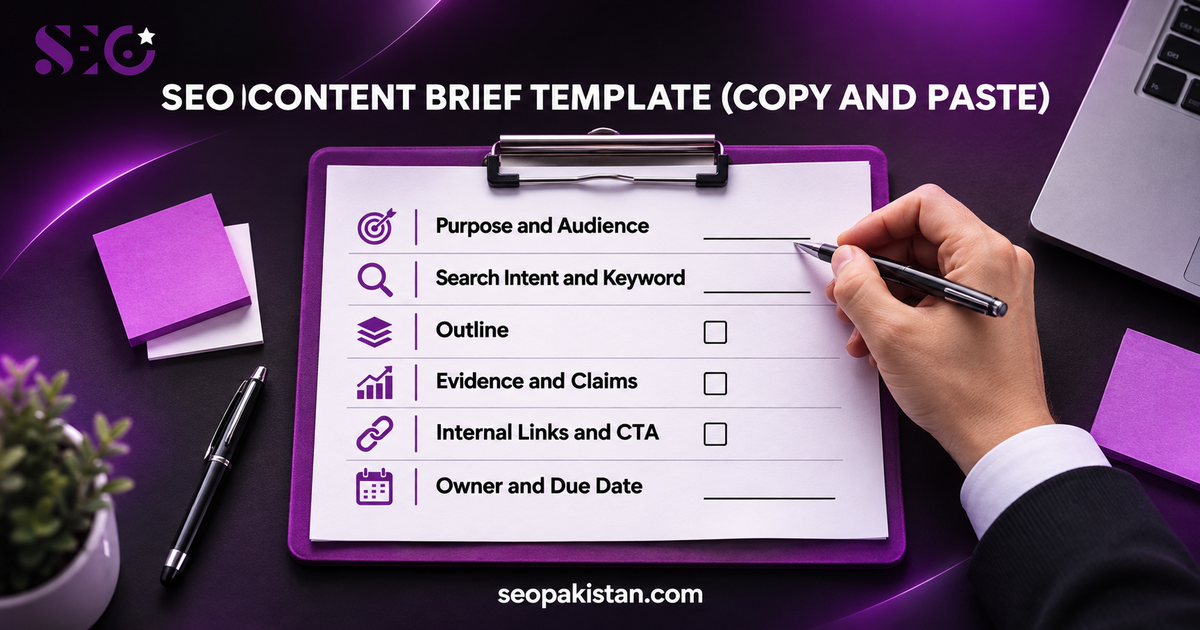
Copy the block below into a Google Doc or your task tool. Replace each blank with your own information.
SEO CONTENT BRIEF
1. Page purpose and audience
Goal of the page:
Target reader (role, industry, knowledge level):
Market / country / language:
2. New page or update
[ ] New page [ ] Update of an existing page
Exact URL (for updates) or proposed URL (for new pages):
Existing pages on the same topic (to avoid duplicates):
3. Search intent and keyword
Primary keyword:
Secondary keywords and related questions:
Search intent (learn / compare / buy / do):
Data source and date range for any numbers:
4. Question the page must answer
One-sentence answer the reader should get in the first paragraph:
5. Unique angle
What will this page add that other results do not?
6. Outline
H1:
H2 / H3 headings, in order:
7. Evidence and claims
Required sources (links, documents, data provided by the client):
Claims that are allowed:
Claims that are NOT allowed (guarantees, invented numbers, unverified results):
8. Visuals
Images, tables or diagrams needed and what each must show:
9. Internal links and CTA
Internal links to include (page and reason):
Call to action and destination URL:
10. Metadata
SEO title:
Meta description:
11. Owner and dates
Writer:
Reviewer / approver:
Due date:
12. Publication and success checks
Final checks before publishing:
How and when we will review the page after publishing:
How to Fill Each Field of the Brief
Purpose and audience
- Write one goal in plain words, such as “help buyers prepare a request for quotation.”
- Name the reader by role, not by “everyone.”
- State the country and language so the writer uses the right examples.
New page or update
- For a new page, search your site first so you do not publish a duplicate.
- For an update, give the exact URL and say what must stay the same.
- List any similar pages so the writer knows what not to repeat.
Search intent and keyword
- Do your keyword research before writing the brief, not after.
- Pick one primary keyword and a few secondary terms that fit naturally.
- Match the page type to the search intent. Someone looking for a template wants a template, not only a definition.
- For more help, read our guide on SEO keyword research.
Question and angle
- Write the answer to the main question in one sentence.
- Add one thing the page offers that competing pages do not, such as a filled example.
Outline
- Give the H1 and the H2 headings in order.
- Keep headings descriptive so a reader can scan them.
- Leave the writer room to add a section if the topic needs it.
Evidence and prohibited claims
- List the sources the writer must use, such as client documents or official guidance.
- Say which claims are not allowed: invented numbers, guaranteed rankings and unverified results.
- Google’s guidance on helpful, people-first content asks for original, useful information and credible sources. It does not set a required word count.
Internal links, metadata and CTA
- Name the pages to link to and the reason, for example a related guide or a service page.
- Fit internal links to the topic cluster instead of adding them by count.
- Draft the SEO title, meta description and call to action, or ask the writer to propose them.
Owner and dates
- Add the writer, the reviewer and the due date.
- Add who will check the page after publishing.
Filled Example: Industrial Spare Parts RFQ Checklist (Hypothetical)
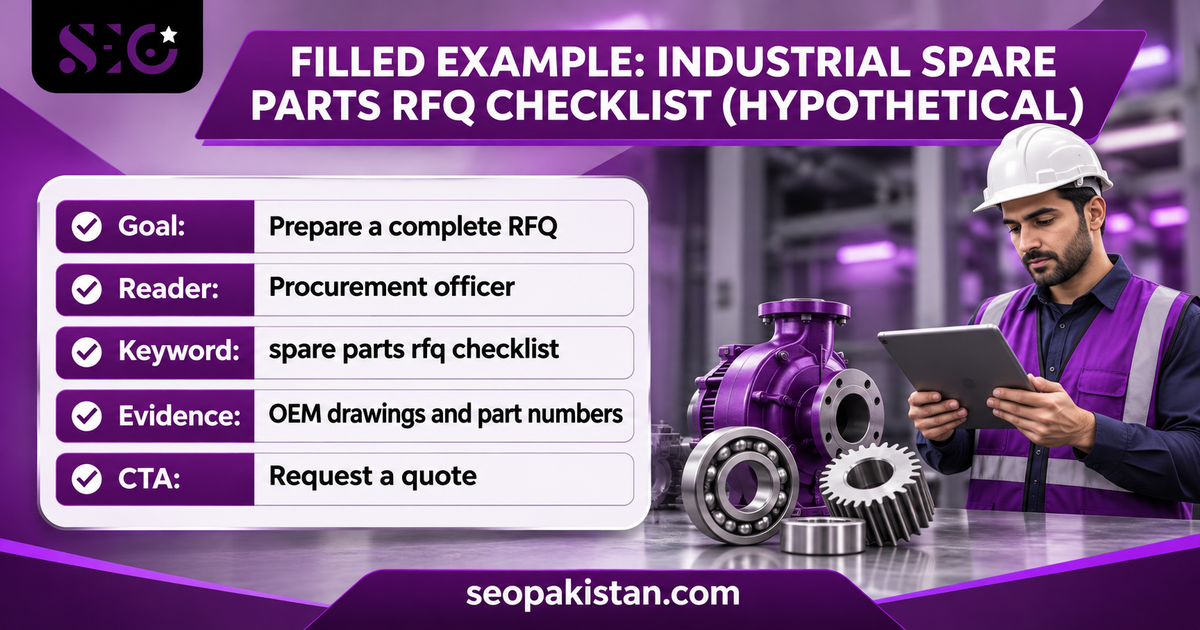
This example is illustrative. The company, keyword and URL are made up, and no search volume, ranking or client result is claimed.
| Field | Filled example |
| Goal | Help procurement teams prepare a complete request for quotation (RFQ) for industrial spare parts |
| Target reader | Procurement officer or maintenance planner at a manufacturing company; knows their plant, not the supplier’s catalog |
| Market | Pakistan, English |
| New or update | New page |
| Proposed URL | example-supplier.com/blog/spare-parts-rfq-checklist/ (fictional) |
| Existing similar pages | None found in the site search for “RFQ” (check again before publishing) |
| Primary keyword | spare parts rfq checklist (illustrative, not researched) |
| Secondary terms | request for quotation, part number, OEM drawing, lead time, quantity |
| Search intent | Learn and do: the reader wants a list to use |
| Question to answer | What information must an RFQ for spare parts include so a supplier can quote correctly? |
| Unique angle | A downloadable checklist plus a sample RFQ line, written for procurement teams |
| H1 | Industrial Spare Parts RFQ Checklist: What to Include Before You Request a Quote |
| H2 outline | Why incomplete RFQs cause delays; The RFQ checklist; Part identification; Quantity and delivery details; Documents to attach; A sample RFQ line; Common mistakes; FAQs |
| Required evidence | OEM drawings, part numbers and datasheets supplied by the client. The writer must not invent technical instructions |
| Allowed claims | Statements supported by the supplied documents |
| Not allowed | Delivery times, stock levels, certifications, prices or customer results not given by the client |
| Visuals | One checklist graphic and one sample RFQ table |
| Internal links | Related product category page and contact page (to be confirmed by the client) |
| CTA | Request a quote, linked to the contact page |
| Owner and dates | Writer: assigned writer. Reviewer: client’s technical contact. Due: set per project |
| Success check | Review the page in Search Console after it is indexed, using a stated date range |
How to Use Surfer and Google Search Console in a Brief
Data helps a brief only when you label what it is.
- Label real and assumed data. Write “from Search Console” or “assumed” next to every number.
- State the period and country. For example, “last 28 days, Pakistan, all devices.”
- Check existing URLs. Search your site and Search Console for pages that already cover the topic.
- Copy Surfer terms as suggestions. Use them where they fit naturally and ignore ones that do not fit the intent.
- Do not treat a content score as a ranking promise. A score is a writing guide. It does not prove a page will rank.
- Require sources. Ask the writer to link each factual claim to a source you can open.
For the bigger picture, see our guide to content strategy.
Search Intent Types to Note in Every Brief
Search intent categorizes user queries into four common types. Write the type in the brief so the writer picks the right page format.
- Informational: the reader wants to learn, so write a guide or explainer
- Navigational: the reader wants a specific site or page
- Commercial: the reader is comparing options, so write a comparison or review
- Transactional: the reader is ready to act, so write a service or product page
Reader pain points
- Add two or three pain points of the target audience, such as “unsure which details a supplier needs.”
- Ask the writer to answer each pain point in a heading or a bullet.
Tone of Voice, Formatting and Word Count
- Tone of voice: state it in one line, for example “clear, practical, no jargon.”
- Formatting: ask for short paragraphs, bullets, tables and descriptive headings.
- Target word count: a brief can give a range as a planning guide for blog posts. Google does not set a required word count, so content length should come from the topic’s complexity and user needs, not arbitrary numbers.
- Meta title and anchor text: list the SEO title (meta title) and the anchor text for each internal link, and keep both natural.
- Key takeaways: ask for a short key takeaways list at the end of long articles.
How to Scale Briefs Across Many Writers
Creating briefs can be time-consuming when you scale content production. A reusable template saves time and keeps quality consistent across multiple writers.
- Keep one master template in Google Docs and copy it for each new article.
- Fill the fixed fields once, such as tone, audience and prohibited claims.
- Adapt the template to any niche or industry by changing only the evidence rules and example links.
- Avoid generic briefs. A brief with no unique angle often produces low-quality, unengaging content.
- Focusing solely on keywords can hinder content quality, so always add the reader question.
Original Content and Plagiarism
- Ask for original wording and original examples. Unoriginal content can lead to plagiarism issues.
- Require the writer to cite every source and to avoid copying competitor text.
- Run a plagiarism check before the reviewer sees the draft.
Review the Page After Publishing
- Set a review date in the brief, such as four weeks after indexing.
- Check organic traffic, keyword rankings and conversions in Search Console and your analytics tool for the stated period.
- Record what you changed and why, then update the brief for the next article.
Common Content Brief Mistakes
- Writing a brief with no search intent, so the page answers the wrong question
- Giving only a keyword and no goal
- Copying a competitor’s outline instead of adding something new
- Leaving out which claims are not allowed
- Forgetting to check for an existing page on the same topic
- Setting a word count instead of a list of questions to answer
- Giving no reviewer or due date
Writer Handoff Checklist
Before you send a brief, check that it has:
- A clear goal and target reader
- A primary keyword and search intent
- The exact URL, or a note that it is a new page
- An outline with H1 and H2 headings
- Required sources and a list of claims not allowed
- Internal links and a call to action
- Metadata drafts
- Writer, reviewer and due date
Need Help With SEO Content Briefs?
A clear brief makes every article faster to write and easier to review. If you want writers to work from briefs like this, see our SEO content writing services.
Key Takeaways
- A content brief gives the writer the goal, audience, search intent, outline, evidence rules and links before drafting.
- Use one reusable template, and fill every field for each new page.
- Label real and assumed data, and never present a content score as a ranking promise.
- Review the published page on a set date.
Frequently Asked Questions
What is an SEO content brief?
It is a planning document that gives a writer the goal, audience, keyword, search intent, outline, and sources for one page.
How long should an SEO content brief be?
As long as the writer needs and no longer. One or two pages is common. A short update may need only a few lines.
Who should write the content brief?
The person who owns the content plan usually writes it, such as an SEO specialist or content manager. The writer can suggest changes.
Is a content brief the same as an outline?
No. An outline lists headings. A brief also covers the goal, audience, intent, evidence rules, links, and metadata.
Does a content brief guarantee rankings?
No. A brief helps you create a useful, accurate page. Rankings depend on many factors that nobody can guarantee. Search Intent Types to Note in Every Brief.