


An off-page SEO audit reviews the signals that come from outside your website: backlinks, referring domains, anchor text, and brand mentions. The goal is to find which links help, which are lost, and which need a closer look.
This guide gives you a step-by-step backlink review, a copyable worksheet, and a prioritized action list. It is a practical process, not a score or a guarantee of better search engine rankings.
In this guide
- Set the scope and goal
- Collect link data from Google Search Console and other tools
- Review each referring page
- Check lost and broken links
- Read anchor text patterns
- Separate suspicious links from manual actions
- Use the audit worksheet
- Prioritize actions
Off-Page SEO Audit vs On-Page and Technical Audit
An off-page SEO audit looks at links and mentions outside your own pages. A site audit of titles, meta tags, internal links, page speed, and structured data is a different job.
- Off-page audit: backlinks, referring domains, anchor text, brand mentions
- On-page audit: content, page title, meta description, headings. Use our on-page SEO checklist
- Technical audit: crawling, indexing, site speed. See our technical SEO audit guide
Keep the three separate, so one report does not mix link problems with page problems.
Step 1: Set the Scope and Goal
Write these down before you open any tool.
- Business goal: for example, “find lost links to our service pages”
- Audit date: links change, so record the date of every export
- Scope: the entire website or only key pages and landing pages
- Market: the country and language you care about
- Owner: who will act on the findings
A clear scope keeps the audit small enough to finish.
Step 2: Collect Link Data and Know Its Limits
Use more than one source. No single tool sees every link on the web.
Google Search Console
The Links report in Google Search Console shows:
- Top linked pages on your own site
- Top linking sites
- Top linking text
Know the limits:
- It is a sample, not a list of every link on your site.
- It can include links Google found in the past that have since been removed.
- It does not show whether a link is nofollow.
- It does not show Domain Authority or Domain Rating.
- It is not a spam score or a link quality grade.
Third-party exports
- Export referring domains and backlinks from a tool such as Ahrefs, Semrush or Moz. Our Semrush vs Ahrefs comparison explains the differences.
- Treat metrics like DR, DA or spam score as each tool’s own estimate. They are not Google signals.
- Merge the exports into one sheet and remove duplicates.
Label each row with its source and export date.
Step 3: Review Each Referring Page
Open the linking page, since the Links report does not show rel attributes. Do not judge a link only by a number in a tool.
Check these items:
- Relevance: does the page cover a topic related to yours?
- Placement: is the link inside the main content, or in a footer, sidebar or comment?
- Destination: which page on your site does it point to, and does it fit?
- Editorial context: is the mention natural, or does it look inserted?
- Rel attributes: is the link marked nofollow, sponsored or ugc?
- Page status: does the page still load, and is it indexed?
Write what you actually see. Avoid guesses such as “looks paid” without evidence.
A mix of followed and nofollow links is normal. Google’s spam policies say paid links should use rel=”sponsored” or nofollow, so a missing attribute on a paid placement is worth investigating.
Step 4: Check Lost and Broken Links
Useful links can disappear. Find them before you assume anything about age.
- Compare an older export with a new one and list missing referring pages.
- Open each lost link and note the reason: page removed, link removed, or site offline.
- Check whether the target page on your site now returns a 404 or redirects.
- Use a 301 redirect when a moved page still has a relevant replacement.
- Contact the publisher only when the link was editorial and useful.
An old link is not weak just because it is old. Judge it by relevance and context.
For link ideas after the audit, read our guide to high-quality backlinks.
Step 5: Read Anchor Text Patterns
Anchor text is the clickable text of a link. Group it by type:
- Brand name
- Page title or topic phrase
- Generic words such as “click here”
- Naked URL
- Exact keyword
What to look for:
- A pattern that repeats across many unrelated sites
- Keyword-heavy text on links you did not earn
- Anchors that do not match the page they point to
There is no universal ratio for healthy anchor text. Treat a pattern as a signal to investigate, not as proof of a problem.
Step 6: Separate Suspicious Links From Manual Actions
Low-quality links are common. They are not automatically a penalty.
- Check the Manual Actions report in Google Search Console first. A confirmed manual action is shown there.
- Review suspicious links using the evidence from Step 3: link farms, paid placements without attributes, hidden links, mass-posted comments.
- Do not assume harm. Google says that in most cases it can judge which links to trust without extra guidance.
What Google says about disavow
- Most sites do not need to use the disavow tool.
- Use it only when many spammy, artificial or low-quality links point to your site, and those links have caused or will likely cause a manual action.
- Google first recommends trying to remove the bad links from the web.
- Google calls it an advanced feature. Misuse can harm your site’s performance in search results.
This guide does not create or upload a disavow file. If you think your site qualifies, check Google’s disavow help page and get an expert review first.
Step 7: Use the Off-Page Audit Worksheet
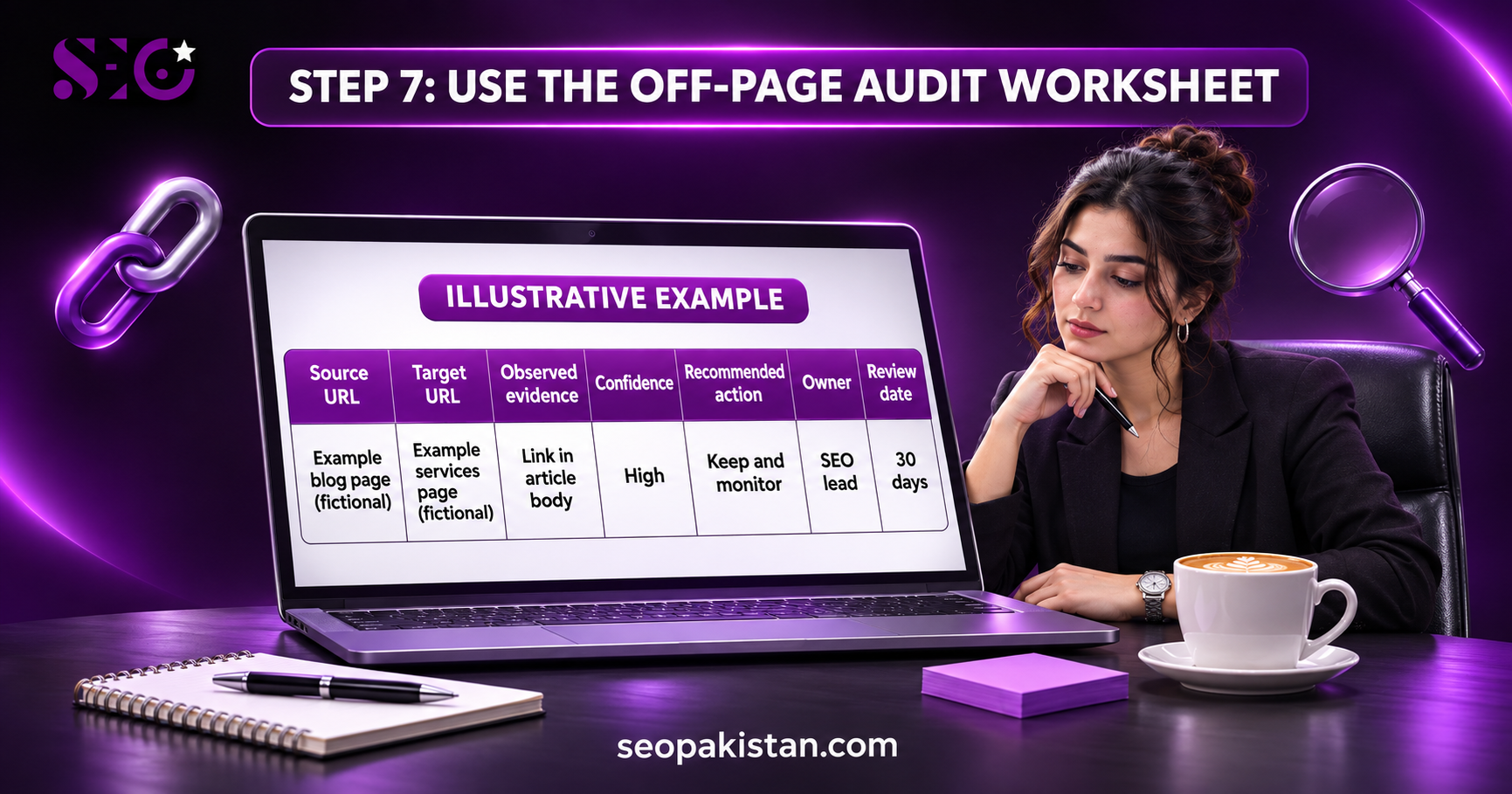
Copy this table into a spreadsheet. Add one row per link or per referring domain.
| Source URL | Target URL | Observed evidence | Confidence | Recommended action | Owner | Review date |
| High / Medium / Low |
Hypothetical example row
This row is illustrative only. The URLs and findings are made up and are not a client result.
| Source URL | Target URL | Observed evidence | Confidence | Recommended action | Owner | Review date |
| Example blog: tools roundup page (fictional) | Example site: services page (fictional) | Link sits in the article body; topic matches; no rel attribute; page indexed | High | Keep and monitor | SEO lead | 30 days after audit |
How to fill each column
- Source URL and Target URL: the exact linking page and the page on your site
- Observed evidence: what you saw, such as placement, rel attribute, and page status
- Confidence: how sure you are of the finding, based on evidence
- Recommended action: keep, reclaim, redirect, outreach, or investigate further
- Owner and review date: who acts and when you will check again
Step 8: Prioritize Actions
Sort the worksheet and start with items that have clear evidence.
- Fix lost links to important pages: redirects and publisher outreach
- Reclaim useful mentions: ask for a link where your brand is mentioned without one
- Investigate repeated anchor patterns: confirm before acting
- Check Manual Actions: act only if a manual action is confirmed
- Record low-confidence items: review them at the next audit
Set the review frequency to fit your site and your team. A fixed calendar is not required for every website.
What an Off-Page SEO Audit Includes
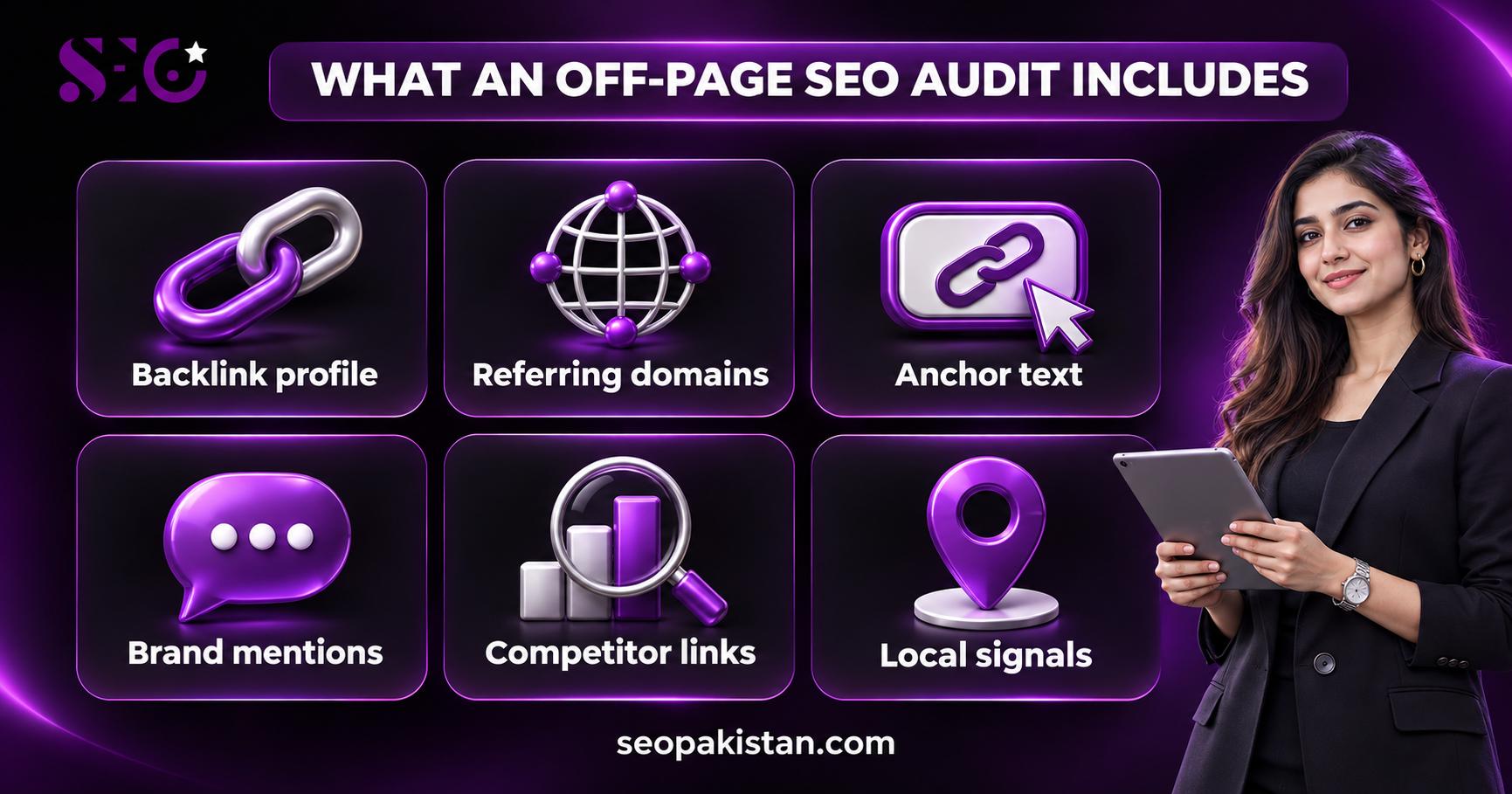
A full off-page SEO audit usually covers six areas:
- Backlink profile: which sites link to you and which pages they point to
- Referring domains: the number of unique sites, not only the number of links
- Anchor text: the words used in links to your pages
- Brand mentions: linked and unlinked mentions of your brand
- Competitor links: where similar sites earn links
- Local signals: consistent business details for local SEO
Each area feeds the worksheet in Step 7.
Backlink Profile and Referring Domains
- Count unique referring domains next to total backlinks. Fifty links from one site tell you less than fifty links from different sites.
- A healthy backlink profile usually has a mix of referring domains, page types, and link types. It grows gradually as you publish useful content.
- Track gained and lost links between audits to see the health of the profile.
- Link quality and relevance matter more than volume. One relevant link from a trusted site in your field is worth more than many unrelated ones.
- Spammy backlinks tend to show patterns: unrelated topics, auto-generated pages, link lists, and heavy keyword anchors. Record the evidence, then decide.
Brand Mentions Without Links
- Search for your brand name in Google and note pages that mention you without linking.
- Public sentiment around your brand is useful context. A neutral or positive unlinked mention can become a link if you ask politely.
- Reply with a short note and the exact page you would like linked.
- Record each mention in the worksheet as “reclaim” with the owner and date.
Competitor Link Review
- Pick two or three competitors that rank for your target keywords.
- Export their referring domains and compare them with yours.
- List relevant sites that link to them but not to you.
- Do not copy low-quality sources. A link a competitor has is not always worth getting.
- Use the list for outreach ideas, guest posting that offers real value, and content that deserves links.
Guest posts and blog commenting need care. A guest post should offer something useful to readers. Blog comments rarely earn lasting editorial value. Paid placements should carry rel=”sponsored” or nofollow.
Local SEO Audit: NAP and Google Business Profile
- For local businesses, check that the name, address, and phone number match across directories.
- Review your Google Business Profile for accurate details.
- Fix duplicate or outdated listings, since they can confuse customers.
- Add each fix to the worksheet with the source URL.
Free Tools for a Basic Link Check
- Google Search Console: the Links report and the Manual Actions report
- Google search: brand queries to find mentions
- Free tool plans: many SEO tools show limited link data. Check what each plan includes and what it leaves out.
A free tool can start the review, but it cannot replace reading the referring page.
A free SEO checker or website SEO checker can give a quick SEO site checkup of your site’s SEO and may point out keyword and content opportunities. These tools usually analyze on-page and technical items, not your full backlink profile, so use them next to the Links report. Do not treat an SEO score climb as the goal of the audit.
Some tools also offer AI visibility tracking. Treat their output as an estimate and check the pages yourself.
Measure the Results
- Review organic traffic and keyword rankings in Google Search Console for the same date range before and after your link work.
- After a sudden ranking drop, check the Manual Actions report, then page changes, redirects, and technical issues before blaming links.
- Link work can take time to show in search results, and no result is guaranteed.
- Use keyword tracking to note changes, not to promise outcomes.
When the Problem Is Not Off-Page
A ranking or traffic problem does not always come from links. Run a separate site audit before you blame your backlink profile.
Technical and on-page items to rule out
- Technical SEO issues: crawl errors, blocked pages, redirects, and broken links on your own site
- Page speed and site speed: slow pages can frustrate visitors. Review Core Web Vitals in Google Search Console as part of a technical check
- Title tags and meta descriptions: missing or duplicate page titles and meta tags on key pages
- Structured data: errors in markup on product pages or articles
- Duplicate content: similar pages competing for the same keyword
- Image optimization: large files and missing alt text
- Internal linking: important pages that few other pages link to
Use a website SEO checker or site audit tool for these checks. A free SEO audit tool is fine for a first look, but read what each check means before you fix anything.
Write the Off-Page Audit Report
A short report helps small business owners and clients act on the findings.
What to include
- The scope, goal, and audit date from Step 1
- The data sources and their limits
- Findings grouped by area: lost links, anchor patterns, brand mentions, local signals
- The worksheet with evidence and confidence for each item
- A prioritized action list with owners and review dates
- Items you could not verify, so nobody treats a guess as a fact
Keep the report honest
- Do not present an SEO score or a third-party metric as a Google measurement.
- Show real data and label assumptions.
- Avoid promising improved rankings or more organic traffic.
Brand Mentions, AI Search Visibility and Links
People now find brands in AI-generated answers as well as search results. No one outside the search engine can prove exactly why a brand appears in them, so treat visibility as something to observe, not to promise.
- Note where your brand is mentioned alongside your topic, and whether the page is accurate.
- Keep your entity clear: use the same brand name, address, and descriptions across your website and profiles.
- Link building should focus on genuine relationships and useful content, and avoid manipulative practices.
- Think of AI search optimization as a continuation of good content quality, clear structure, and trustworthy sources, not a separate trick.
A natural anchor text profile consists of a mix of branded and descriptive phrases. That mix usually appears when other sites link to you because your page is helpful.
Where Off-Page Work Fits in Search Engine Optimization
Search engine optimization has three parts: on-page SEO, technical SEO, and off-page SEO. Off-page signals are one input among many ranking factors, and Google does not publish how much each signal counts.
- On-page SEO: content, headings, page title, and missing meta descriptions
- Technical SEO: crawling, indexing, load speed, and website performance
- Off-page SEO: links and mentions from other sites
A full site audit covers all three. The link review in this guide is one part of it.
A single-page check cannot detect orphan pages or duplicate content across the site, so use a full site audit when you check SEO for the whole website. Start with critical SEO issues and on-page SEO issues, then return to the link review.
What High-Quality Backlinks Look Like
High-quality backlinks are relevant to your topic, placed naturally, and sent by a real site with a real audience. Signs to look for:
- The linking page is about a related subject
- The link sits in the main content as a citation or recommendation
- The page has readers, not just links
- Your page is a good answer for what the link says
Original research and your own data often earn links because other sites can cite them. Third-party metrics about a site’s authority can help you sort a long list, but they are estimates. Read the page before you decide.
Turn the Audit Into a Detailed Report
A detailed report lists what you checked, what you found, and what to do next.
Keep the SEO report short. Add keyword research notes only when they explain why a linked page matters for a target topic, and list critical errors with their evidence.
- Put critical issues first, such as a confirmed manual action or lost links to key pages.
- Add a short note on SEO performance using Google Search Console data for a stated date range.
- Show search performance for the pages affected by link work, and describe changes as observations.
- Track qualified traffic, meaning visitors who match your audience, instead of total visits alone.
- Use free SEO tools for a quick SEO check, and label what each tool cannot see.
AI Answers and AI Visibility
Search engines and AI search platforms may show brand names in AI answers. Nobody outside those systems can prove why a brand appears, so treat AI visibility as something to observe.
- Note which pages mention your brand next to your topic.
- Check that the descriptions are accurate and match your own site.
- Keep your brand details consistent so your entity stays clear.
Common Off-Page Audit Mistakes
- Using DR, DA, or spam score as a Google metric
- Treating Google Search Console as a full backlink database
- Disavowing links without a confirmed reason
- Assuming old links are weak
- Applying a fixed anchor text ratio
- Mixing a link audit with page speed or content issues
- Promising rankings from a link clean-up
Off-Page SEO Audit FAQs
What is an off-page SEO audit?
It is a review of external signals such as backlinks, referring domains, anchor text and brand mentions to find lost, useful, or suspicious links.
Does Google Search Console show all my backlinks?
No. The Links report gives a sample of top linked pages, linking sites, and linking text. Combine it with other exports.
Do I need to disavow low-quality links?
Most sites do not. Check for a confirmed manual action first and follow Google’s disavow guidance.
Does Google Search Console show Domain Authority?
No. DA and DR are third-party tool metrics, not Google measurements.
Can an audit guarantee better rankings?
No. An audit shows what to fix or follow up. Rankings depend on many factors.
Need Help With Your Backlink Review?
If you want an expert to review your links and plan the next steps, see our search engine optimization services.